
You want to know if a cheaper model is good enough for your users. So you plan to split live traffic between the two.
But if a user bounces between models mid-chat, their answers change in tone and quality from message to message. Each switch also throws away the provider's cache, so you pay full price to read the whole chat again.
Operant splits live traffic between models by weight. It keeps each user on the same model while the weights stay the same. Your app calls one name, such as router/support-agent, and Operant picks the model for each call.
This post shows how that pick works and what you see in the console. The screenshots come from the live console, with sample values from a demo workspace.
Set the split
You open the name your app calls and give each model a weight. The weights add up to 100. Each side of the split can also have its own backup list. If its model fails, the next model in that list takes the call.
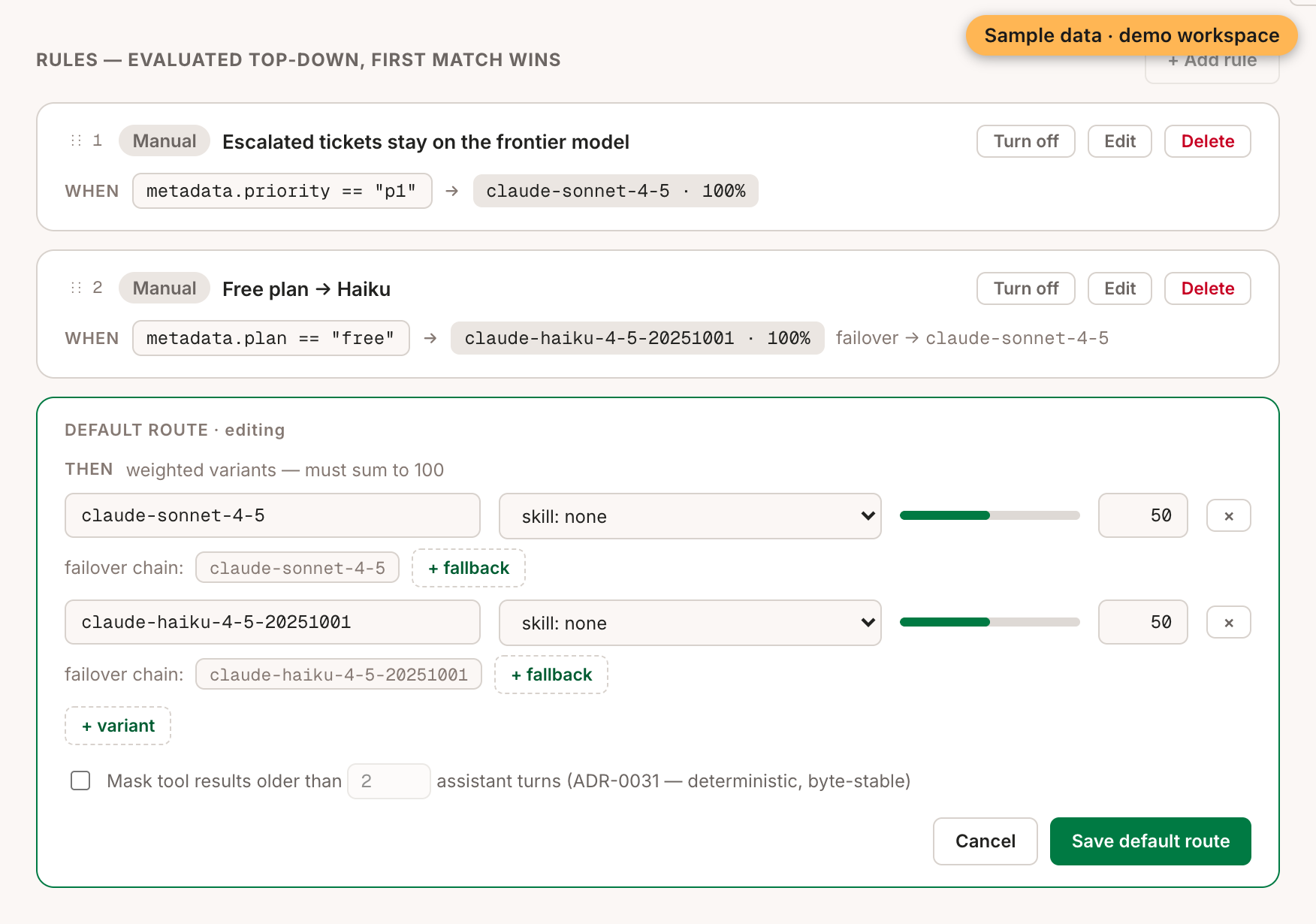
Any rules you've written run first, from top to bottom, and the first match wins. Only a call that matches no rule reaches the split.
How one user stays on one model
For each call, Operant picks a key. It uses the first of these that the call has:
- The
user_idin the call's metadata. - The caller's API key.
- The conversation ID.
Operant turns that key into a number between 0 and 1, the same way every time. The weights divide that range between the models, and the number picks one.
Nothing is stored. The same key gives the same number on every call. So the same user lands on the same model for as long as the weights don't change. The key doesn't include the thread, so every thread in a session, sub-agents included, gets the same model.
Try it before real users do
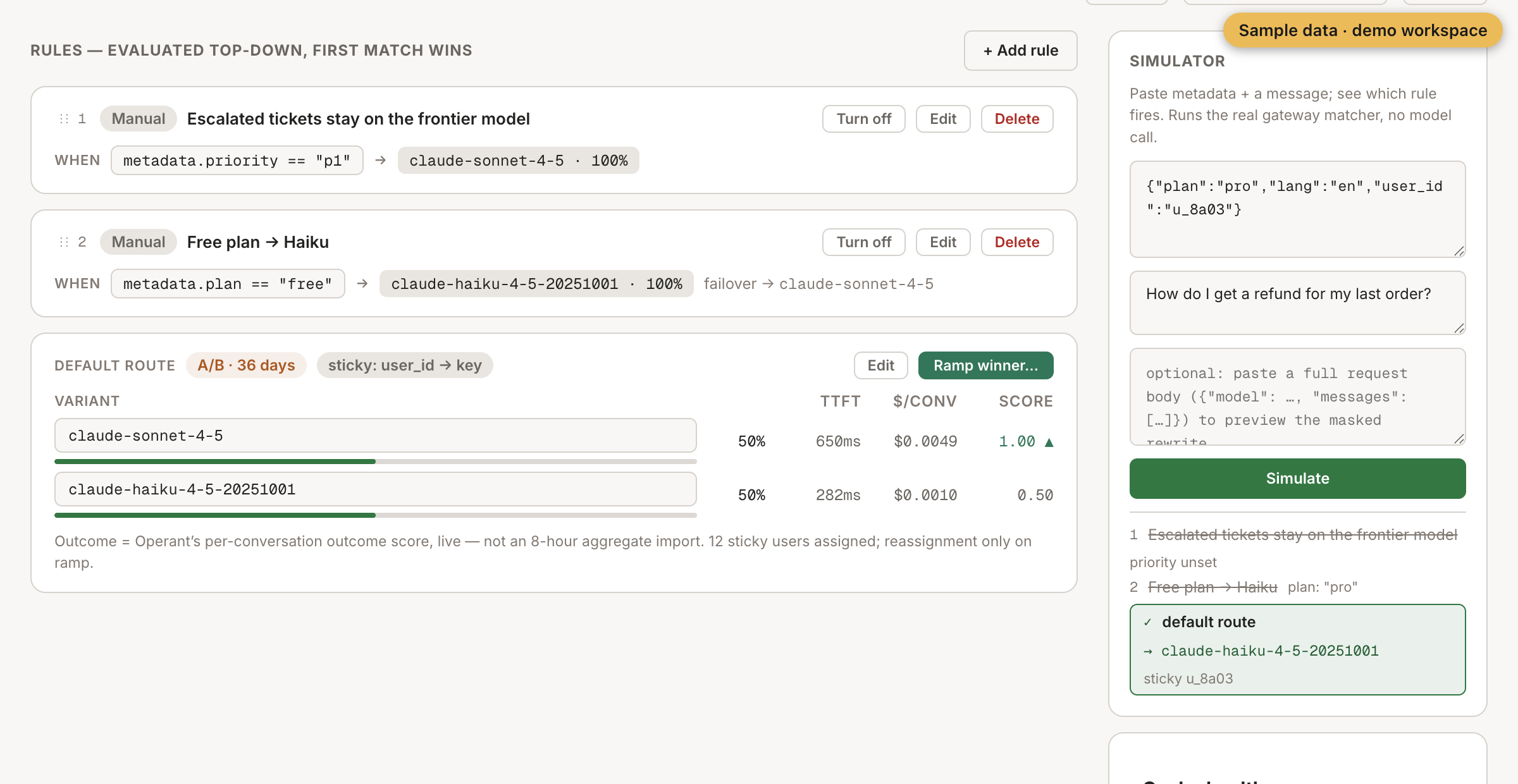
Each name has a simulator in the console. You paste the metadata and a message, and it shows which rule fires. It runs the real matching code, and it makes no chat model call.
We sent the same message as four different users to router/support-agent. Their plan was "pro", so the free-plan rule didn't match, and each call reached the split:
| user_id | Model |
|---|---|
| u_5f21 | claude-sonnet-4-5 |
| u_8a03 | claude-haiku-4-5-20251001 |
| u_1c77 | claude-sonnet-4-5 |
| u_42d9 | claude-haiku-4-5-20251001 |
Send the same user again, and you get the same model.
Read the result
For each model, the console shows its share of traffic and how fast the first words arrive. It also shows the cost per conversation and the outcome score. The outcome score is Operant's live score of whether each conversation got its task done. It isn't an import of old totals.
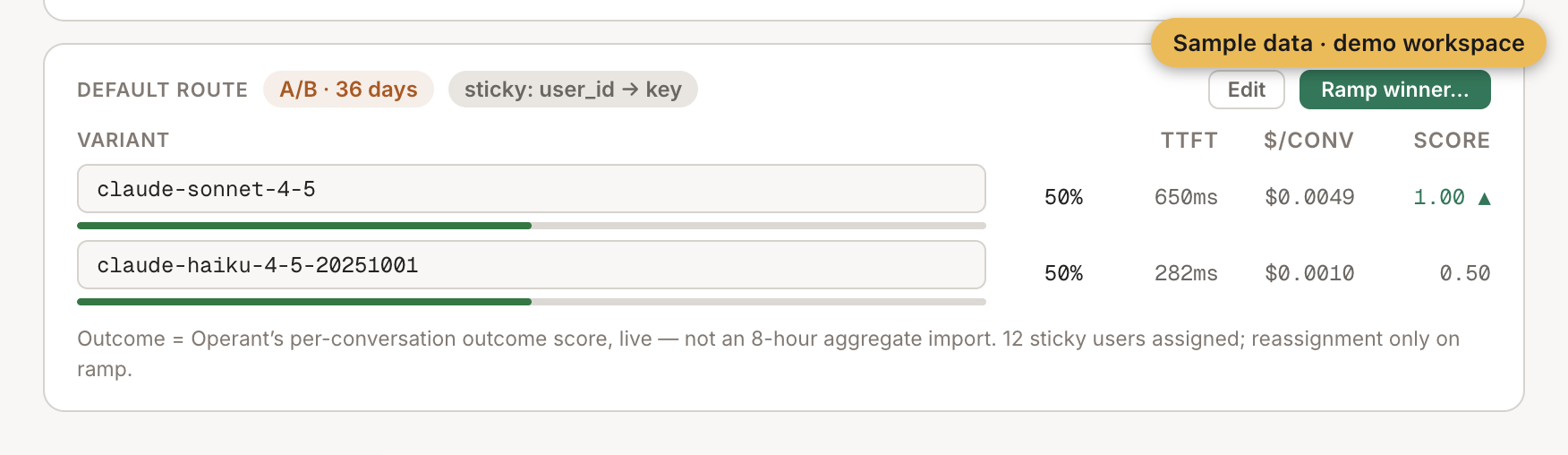
The numbers in this screenshot are sample values from a demo workspace. They aren't a measurement of a real workload.
Move the weights to the winner
When one model wins, you click "Ramp winner…", or you edit the weights by hand. Either way, the boundaries between the models move. So some users land on a different model on their next call. The console warns you about this: "reassignment only on ramp".
A user who moves mid-conversation also changes model, and a provider's cache only works for one model. So their next call pays full price to read the conversation again, once. It's best to move the weights when few conversations are open.
In our sample test, the four users split two and two between Sonnet and Haiku. The same user ID maps to the same model for as long as the weights stay put.
There's a limit today: the split uses fixed weights. Our research team is studying a rule that would pick the model for each conversation from what Operant already knows. That's a design question, and it isn't part of the product.
So you can test a cheaper model on real users, and each user stays on one model.
To see where the outcome score comes from, read how a small model grades each conversation.