
A skill is a set of instructions in a SKILL.md file. When a learned rule sends a pattern to a cheaper model, the gateway adds the skill to the system prompt of each call. The skill tells the cheaper model how your team does this task.
Scribe is the part of Operant that writes the skill. It learns from the conversations of one pattern. A person reviews the draft and approves it. This post shows each step. The screenshots come from the live console with sample values from a demo workspace.
From a pattern to a bundle
Cortex groups your conversations by goal into patterns. You start a run with "Learn skill" on a pattern. Scribe then builds a trace bundle. The bundle is a folder that Scribe makes from the event store. It holds:
- The label and the description of the pattern from Cortex.
- The number of members and their spend.
- An index of the exemplar conversations.
- The turns, the tool calls and the outcome of each exemplar.
Before Scribe writes a file, it saves a split of the members into a learn set and a holdout set. By default, one quarter goes into the holdout. The eval gate uses the holdout later. So a conversation that taught the skill never grades it.
The bundle depends only on the rows in the database. The same rows give the same bundle, byte for byte. The console shows the hash of the bundle, so you can find the exact input of each version.
One agent session writes the draft
Scribe does not send one large prompt. It runs one Claude Code session over the bundle. The session can read the bundle and write the draft. It has no other tools, and it has no shell. It can use 32 turns at most. The default model is claude-opus-4-8.
The method is in a small set of seeded skills that the session loads. The code of Scribe holds only short prompts. So the method is easy to read and to change.
Scribe checks the shape, not the quality
Scribe checks the form of the draft before it saves it:
- The name has 100 characters or fewer.
- The description has 500 characters or fewer.
- The body has 200 characters or more.
- The full file has 16,000 characters or fewer, because it goes into each routed call.
- The body has two or more sections.
- The draft has no TODO, TBD or FIXME.
If a check fails, Scribe sends the failure back to the session as a repair turn. It does this two times at most. Scribe does not judge if the draft is good. The eval gate does that.
The draft lands as a version
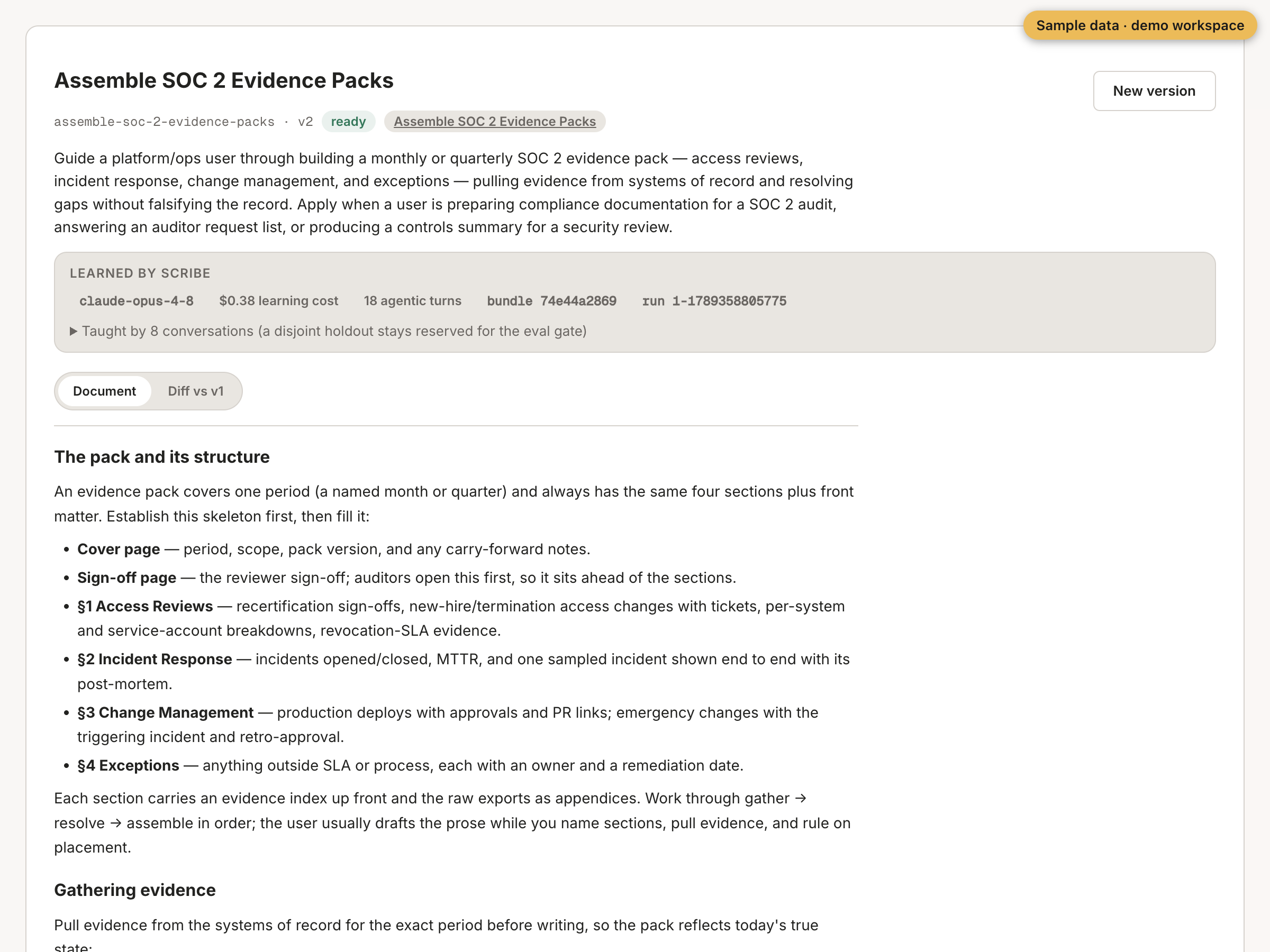
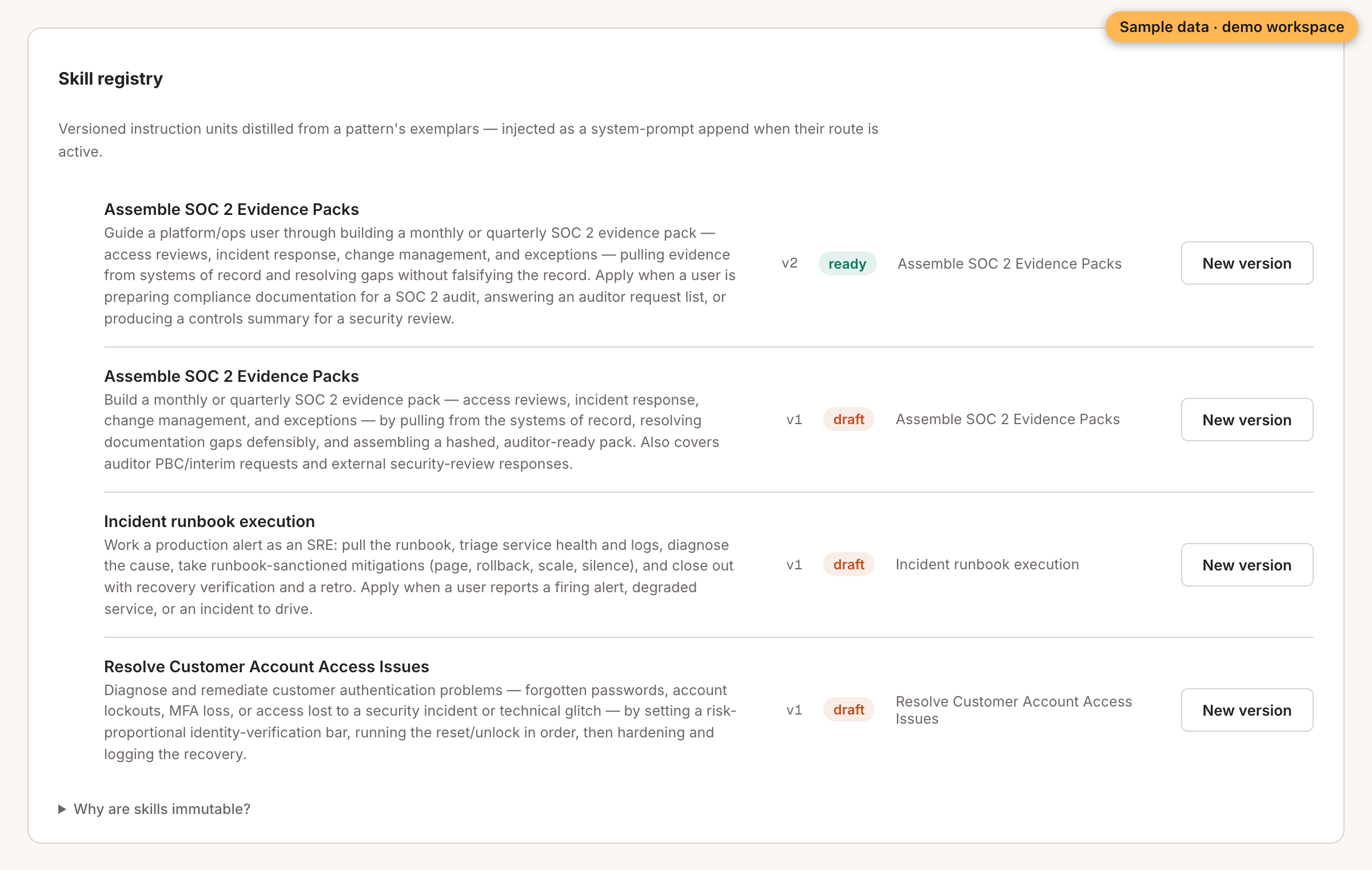
The skill lands as a draft version. The version records where it came from. It keeps the run id, the bundle hash and the conversations it read. It also keeps the model, the cost and the number of turns.
A skill version does not change after it lands. A change makes a new version. A person reads the draft and marks it ready.
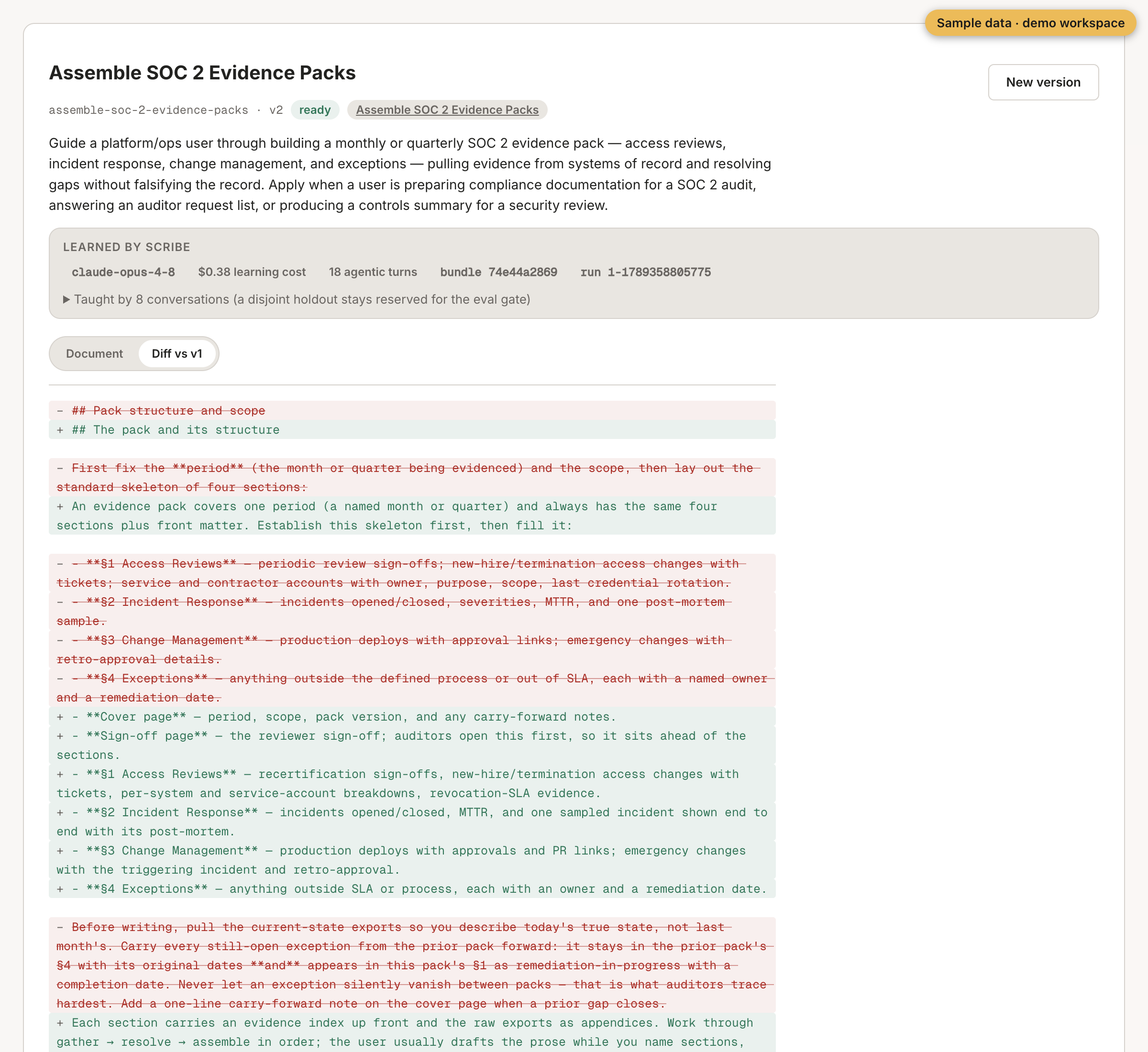
The tab "Diff vs v1" shows what changed between two versions. In this sample, v2 adds a cover page and a sign-off page to the evidence pack.
Then the gate
A ready skill does not change traffic. It goes into a learned rule that starts in shadow. The rule becomes active only after the eval gate passes on the holdout set and a person ratifies it.
Read Inside the eval gate for that step.